I’m coming to the end of the summer course I’ve been taking on integrating technology into the classroom. While I’m looking forward to starting my next courses, I am hoping to keep track of everything I learned to refer back to at work.
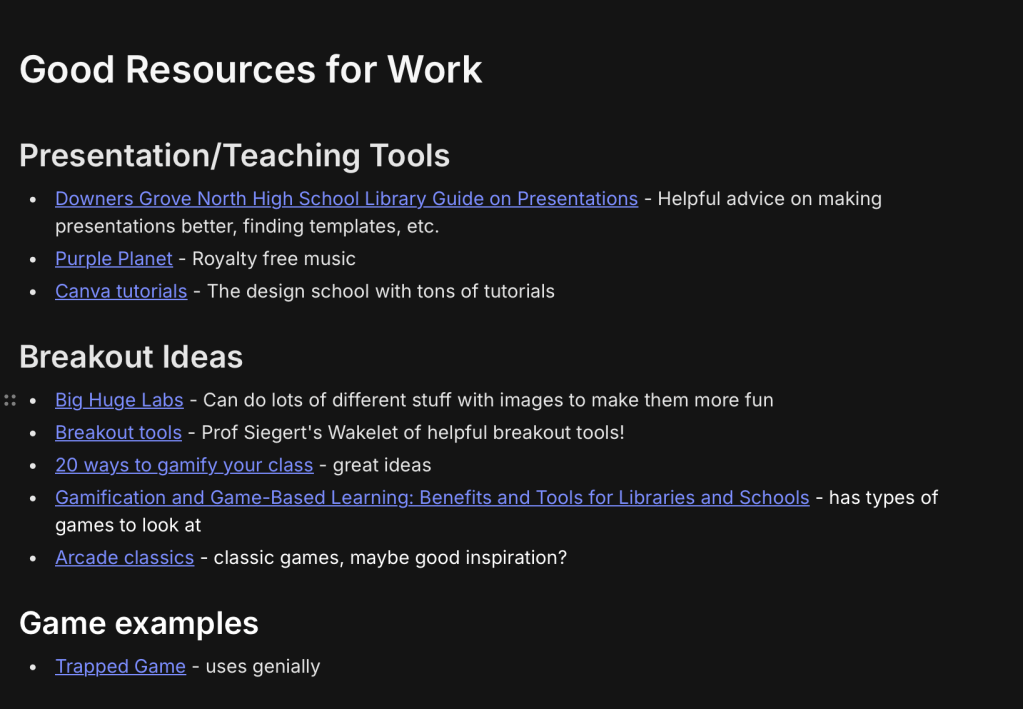
Thankfully, our final assignment was to make a curated resource list we could use well after the class is over. I made my curated list in Evernote, due to the ease of adding new resources and the compact formatting. For my personal note taking, I prefer to have the option of not adding images so that I don’t have to scroll so much to get through the list.
If you missed it, check out my post evaluating different curation sites here.
What was worth curating?
In choosing what to curate, I focused on tools I could imagine using again as an elementary school librarian. I also added some Chrome Extensions I wanted to explore further and consider adding to my work Chrome profile.
I did not keep a lot of articles in my curated resource list, mainly because I have learned that I often think I will go back to read them later, but I never do. The things I turn back to again and again are tools, or examples of work (like the game example I curated).
An exception to this is this article on how ChatGPT may be eroding student learning. I had a feeling I might want to refer back to this article in the future when I’m thinking about the order in which I introduce AI tools into the classroom.
My process
Since I was aware that this was the last assignment, I was able to prepare by saving a few resources at a time as I came across them, instead of scanning all of the different materials from the past weeks all at once.
I did end up changing the organizational headings a few times to make new categories or collapse categories, and I liked Evernote for this aspect because it is much easier to do on Evernote than an app like Wakelet.
I chose to do the Chrome extensions first because I thought it would be great to start with downloading those onto my work computer.
I felt like this class was a perfect way to ease into the school year and prepare to really start my work as a librarian! This resource list is one I’m already referring back to in my first week of school!
 The Queer Librarian
Leave a comment